When browsing the web,Save easilyVideos and images
Use Hams to open supported web pages. Once the media is actually loaded, Hams will try to discover videos and images that are available for download, allowing you to preview, filter, and select available quality before downloading.
No need to copy links or switch back and forth between browsers and other download tools.
- Application name
- Hams: Video and image downloader and browser
- platform
- Android
- System requirements
- Android 10 and above
- package name
- com.hams.backend

From browsing the web to saving the content you need
-
Browse normally in Hams
Enter a URL or open a link to view web content like a regular browser.
-
Let the video or image actually load
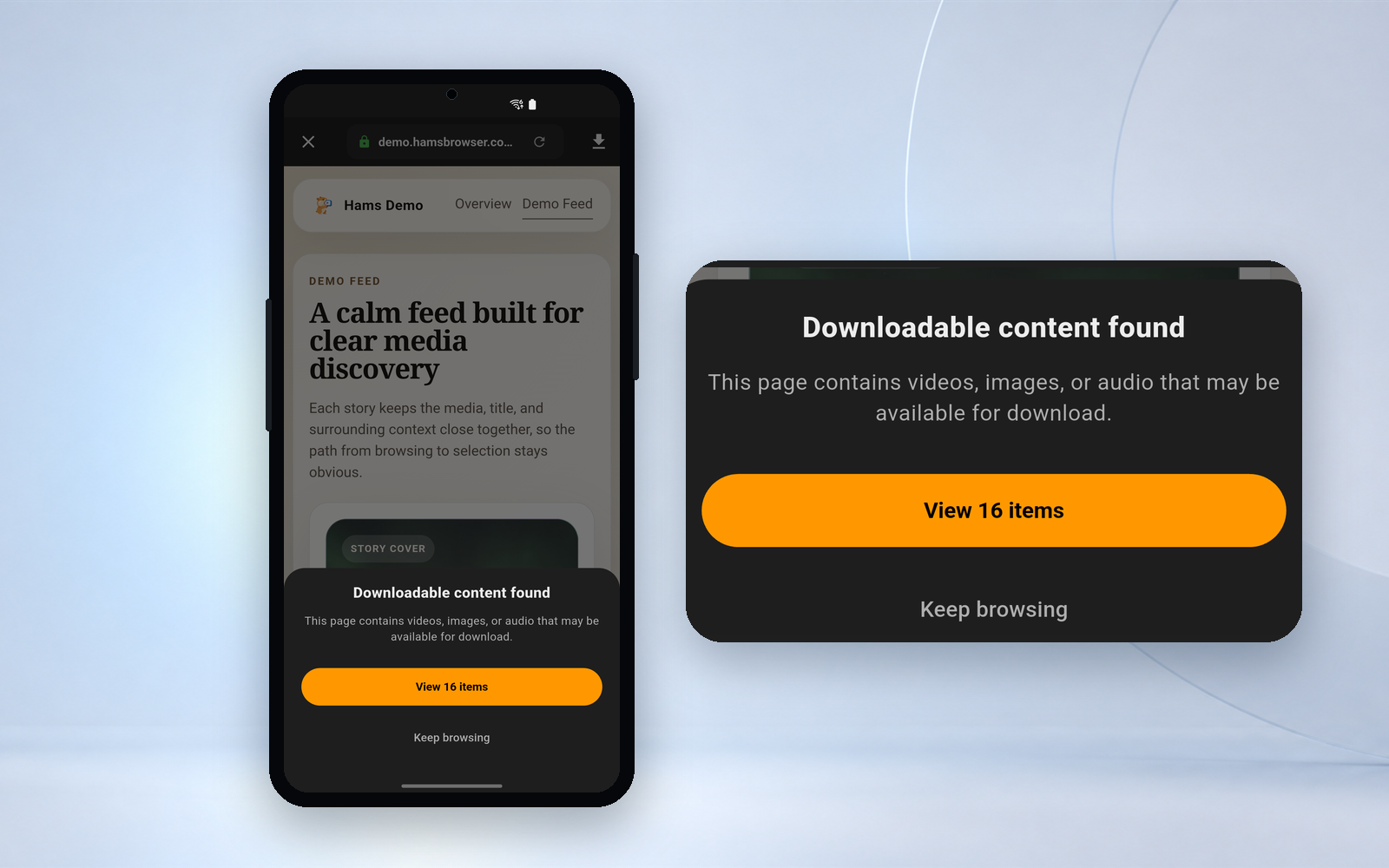
After browsing, scrolling, or playing media, Hams will try to discover videos and images that can be processed in the current web page.
Discovery results depend on web pages, media formats, login status and technical limitations.
-
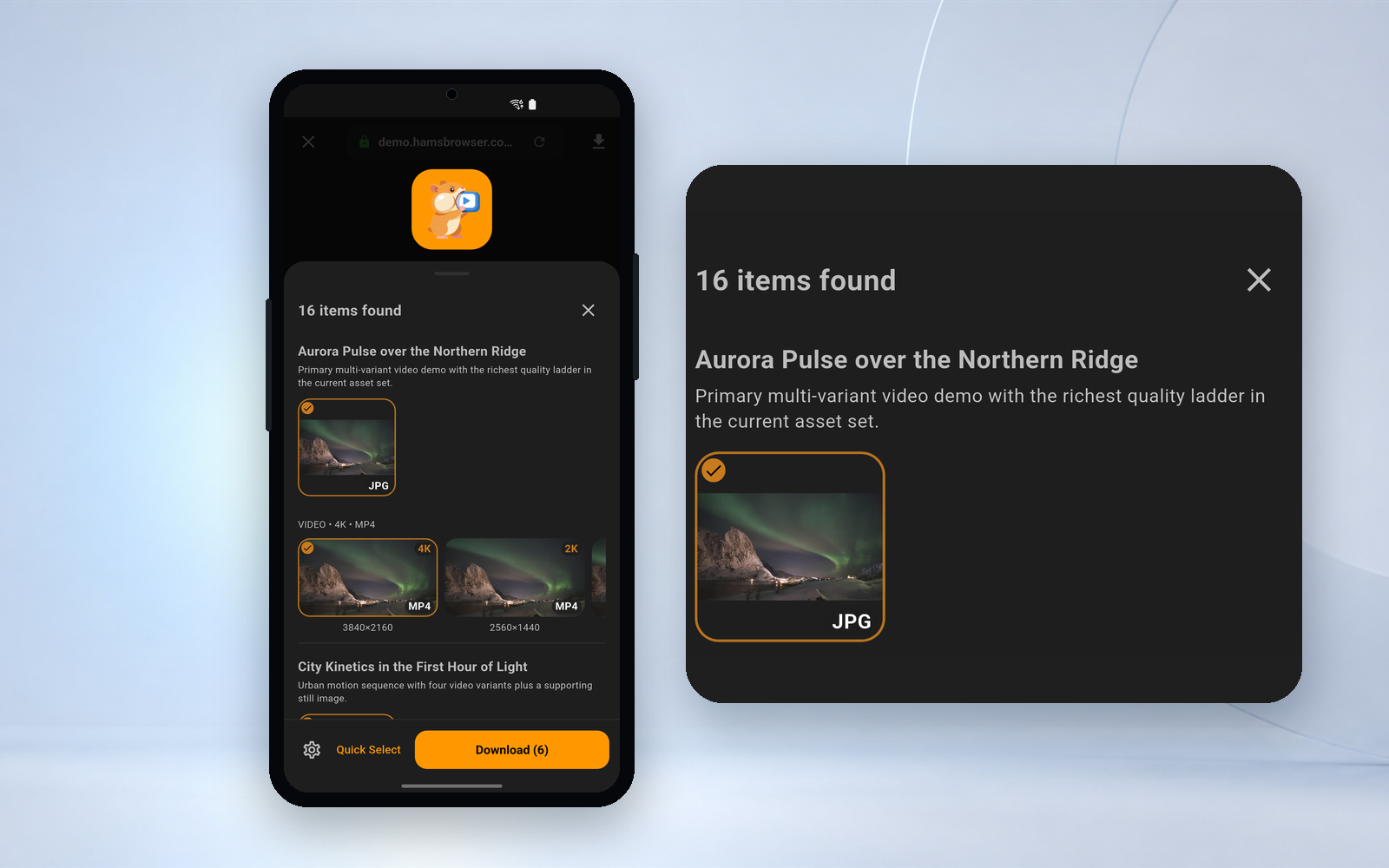
Confirm the content and save it to the device
Open the download panel, preview and filter resources, select the available quality actually provided by the web page, and then add the download task.


Download without interrupting browsing
Four capabilities explain the fundamental difference between Hams and "copy link + external download tool".
-
Discover while browsing
When media is loaded in a web page, Hams attempts to find downloadable items that it can handle.
-
Preview before downloading
Confirm content before downloading with thumbnails, genres and other available information.
-
Select available quality
When multiple versions of a web page are available, you can choose from the available qualities discovered by Hams.
-
Unify management tasks
Download tasks and completed content are displayed in a centralized manner, making it easy to check status and open files.
Discoverable resources, quality and download results are determined by the content, equipment, network and technical conditions actually provided by the web page.

Before downloading, check carefully what you choose
Hams does not directly download all content found on web pages. After opening the download panel, you can view the resources and select the video or image you really need.
Discover the entrance
The current page has found properties that can be viewed further.
Download panel
Get a centralized view of videos, images, and relevant information that web pages actually provide.
Preview and filter
Filter out irrelevant material to reduce mistaken selection of covers, thumbnails or duplicate versions.
Download Center
View tasks by downloading, completed, and failed, and retry or clean them.
The screenshots use the current official version and corresponding language interface. Task cards use icons and colors to indicate status, and there is no corresponding Chinese status text label in the app.
Install Hams on your Android device

https://play.google.com/store/apps/details?id=com.hams.backend
To avoid installing the wrong version, please confirm the app name and package name through the Google Play product link provided on this page. The official website does not provide installation packages from unknown sources.

Scan the QR code with your Android phone to view Hams on Google Play. The QR code is not the only entrance, there is always a normal link next to it.
Unable to install on Google Play
First confirm the device platform, account region and Google Play status. The following situations are arranged in order of frequency.
The page display is not suitable for the device
Hams requires Android 10 and above. The current device's system version, hardware, or other compatibility requirements may not be met.
First confirm the Android version in System Settings and switch to another supported Android device if necessary.
The page shows that the region is unavailable
Hams' Google Play distribution may not yet be available in the region where your current account is located.
The official website does not announce the list of available regions, and the actual distribution range is subject to the display on the Google Play product page. It is not recommended to change fake regions, use VPN to circumvent restrictions, or borrow other people's accounts.
Google Play app is not opening
You can continue to open the Google Play product page in your browser, or copy the link and access it on your Android device.
Open Google Play in your browser.
Can't find Hams on Google Play
Please use the official product links on this page instead of looking through Google Play search results.
App name: Hams: Video & Image Downloader; package name: com.hams.backend.
The product page can be opened, but cannot be installed.
Confirm in order: using an Android device, the system is Android 10 and above, the region where the Google Play account is located, device compatibility, available storage space, and whether Google Play itself is normal.
If still not resolved, contact Hams Support.
Use iPhone or iPad
Hams is currently available on Android. You can install Hams by visiting Google Play on your Android device, or copy the link and scan the QR code to open it later. The official website will not display iOS download buttons that have not yet been released.
Five Frequently Asked Questions Before Downloading
Is Hams free to download?
It's free to download and use Hams' basic browsing, finding downloadable videos and images and downloading capabilities. VIP and SVIP provide additional membership benefits. The actual plan and price are subject to the current page in the app.
Does Hams support iPhone?
Hams is currently available on Android. The official website will not display the iOS download button that has not yet been officially released.
Why can the web page be played but no download resources appear?
The appearance of the page player does not mean that the media has actually been loaded. You can continue browsing, start playing and wait for the page to load before viewing the download button. If the website itself is not supported by Hams, no download entry will appear no matter what you do.
Can Hams download content from all websites?
cannot. Hams already supports X, Instagram, Threads, Facebook, Reddit, TikTok (including Douyin), Kuaishou, Snapchat, Pinterest, Telegram Web, Dailymotion, Xiaohongshu, Weibo, Bilibili, Baidu, NetEase, WeChat official account articles and other sites, and other sites follow the general method.
Some sites are not supported: YouTube, Google, Netflix, Disney+, iQiyi, Tencent Video and other official streaming platforms have been actively excluded by Hams. Download support is not provided on these sites, and download buttons will not appear. Continuing to troubleshoot will yield no results.
Even on supported sites, actual results depend on page structure, media formats, login status, region, and access rights. DRM-protected content is not supported and downloads will fail; Hams does not bypass website login and access controls.
How to complete the first download after installation
Open the web page in Hams, let the media actually load, open the download panel for preview and selection, and then add the resource to the download task.
Open web pages, discover media, and download what you really need
Download Hams to browse, preview, select and manage downloads in one app.
- platform
- Android 10 and above
- application
- Hams: Video & Image Downloader
- package name
- com.hams.backend
Scan the QR code to go to Google Play